deepSearchSources: deepSearchSources 1: favicon: https://cdn.arstechnica.net/wp-content/uploads/2016/10/cropped-ars-logo-512_480-60x60.png
sourcesCount: 4
title: Ars Technica
deepSearchSources 2: favicon: https://i.flash.tech/a/plain/s3://flash-creatives/images/icons/youtube_favicon.png
sourcesCount: 1
title: Micro Center
deepSearchSources 3: favicon: https://i.flash.tech/a/plain/s3://flash-creatives/images/icons/reddit_favicon.png
sourcesCount: 2
title: r/laptops
deepSearchSources 4: favicon: https://www.jonpeddie.com/wp-content/uploads/2022/07/jpr-favicon.png
sourcesCount: 1
title: Jon Peddie Research
deepSearchSources 5: favicon: https://i.flash.tech/a/plain/s3://flash-creatives/images/icons/youtube_favicon.png
sourcesCount: 1
title: Dave2D
deepSearchSources 6: favicon: https://i.flash.tech/a/plain/s3://flash-creatives/images/icons/reddit_favicon.png
sourcesCount: 3
title: r/DellXPS
deepSearchSources 7: favicon: https://aietechnicalict.wordpress.com/wp-content/uploads/2024/05/cropped-flyerdesign_13102021_161302-1.jpeg?w=32
sourcesCount: 1
title: AIE TECHNICAL/ICT SOLUTIONS
deepSearchSources 8: favicon: https://i.flash.tech/a/plain/s3://flash-creatives/images/icons/youtube_favicon.png
sourcesCount: 1
title: ThinkView
deepSearchSources 9: favicon: https://tech.yahoo.com/favicon.ico
sourcesCount: 1
title: LaptopMag via Yahoo Tech
deepSearchSources 10: favicon: https://i.flash.tech/a/plain/s3://flash-creatives/images/icons/youtube_favicon.png
sourcesCount: 1
title: AdvisorReview
deepSearchSources 11: favicon: https://vanilla.futurecdn.net/tomshardware/1420374/favicon.ico
sourcesCount: 1
title: Tom's Hardware
deepSearchSources 12: favicon: https://i.flash.tech/a/plain/s3://flash-creatives/images/icons/youtube_favicon.png
sourcesCount: 1
title: Real Hardware Reviews
deepSearchSources 13: favicon: https://techywired.com/wp-content/uploads/2022/09/cropped-techywiredd-1-32x32.png
sourcesCount: 1
title: Techywired
deepSearchSources 14: favicon: https://i.flash.tech/a/plain/s3://flash-creatives/images/icons/youtube_favicon.png
sourcesCount: 1
title: Roberto Blake
deepSearchSources 15: favicon: https://www.google.com/s2/favicons?domain=https://www.techspot.com/products/laptops/dell-xps-13-9350.301796/&sz=128
sourcesCount: 1
title: TechSpot
deepSearchSources 16: favicon: https://i.flash.tech/a/plain/s3://flash-creatives/images/icons/youtube_favicon.png
sourcesCount: 1
title: Tech Boss
deepSearchSources 17: favicon: https://www.google.com/s2/favicons?domain=https://www.tomshardware.com/laptops/dell-xps-13-9350-review&sz=128
sourcesCount: 1
title: Tom's Hardware
deepSearchSources 18: favicon: https://www.google.com/s2/favicons?domain=https://www.laptopmag.com/laptops/windows-laptops/dell-xps-13-leads-intel-lunar-lake-laptops-with-an-astounding-18-hours-of-battery-life&sz=128
sourcesCount: 1
title: Laptop Mag
deepSearchSources 19: favicon: https://www.google.com/s2/favicons?domain=https://6ixnetwork.com/dell-xps-13-9350-review-the-ultimate-ai-powered-ultrabook/&sz=128
sourcesCount: 1
title: 6ixnetwork.com
deepSearchSources 20: favicon: https://i.flash.tech/a/plain/s3://flash-creatives/images/icons/user-reviews-icon.png
title: 2 User Reviews
items: items 1: content: The Dell XPS 13 9350 is lauded for its exceptional portability, with users frequently highlighting its lightweight design (around 2.6 lbs) and slim profile, making it an ideal companion for travel and daily commutes without feeling burdensome.
detailedSources: items: items 1: articleHeading: Love the look, feel, and portability
articleLink: https://i.flash.tech/a/rs:fill:300:400:0/g:sm/plain/s3://flash-creatives/images/merchants/google
articleSummary: User review praising the look, feel, and portability of the Dell XPS 13.
articleTitle: I
articleType: web_article
favicon: https://i.flash.tech/a/rs:fill:300:400:0/g:sm/plain/s3://flash-creatives/images/merchants/google
snippets: I really love the look and feel of this new Dell XPS 13. It's light, easy to carry and just the right size to travel with.
type: ARTICLE
items 2: articleHeading: Dell XPS 13 AI PC – Jon Peddie Research
articleLink: https://www.jonpeddie.com/reviews/dell-xps-13-ai-pc/
articleSummary: Expert review highlighting the lightweight design and portability of the Dell XPS 13.
articleTitle: Jonpeddie
articleType: web_article
favicon: https://www.jonpeddie.com/wp-content/uploads/2022/07/jpr-favicon.png
snippets: With a lightweight design, long battery life, and a well-regarded keyboard, it’s ideal for office productivity, content creation, and presentations., This is now my new “take everywhere notebook,” with very good graphics, amazing battery life, and light weight.
type: ARTICLE
items 3: articleHeading: DELL XPS 13 9350 Laptop | An Intelligently Designed Workhorse
articleLink: https://www.youtube.com/watch?v=6lBPfMWZ0fM
articleSummary: YouTube review emphasizing the portability and sleek feel of the Dell XPS 13 9350.
articleTitle: Youtube
articleType: web_article
favicon: https://i.flash.tech/a/plain/s3://flash-creatives/images/icons/youtube_favicon.png
snippets: With this model weighing about 2.6 lb, and the 13.4 in size will fit in most any backpack or laptop bag with ease, and it makes for a great everyday carry.
type: ARTICLE
items 4: content: I really love the look and feel of this new Dell XPS 13. It's light, easy to carry and just the right size to travel with. I would have preferred it to be a ...
marketplace: google
source: google
sourceLogo: https://i.flash.tech/a/rs:fill:300:400:0/g:sm/plain/s3://flash-creatives/images/merchants/google
starRating: 5
title: Love the look, feel, and portability
type: REVIEWS
items 5: content: I must start by saying that the Dell XPS 13 is a more than capable traveling laptop. It is very small, slim, and very sleek. It is made with extremely high ...
marketplace: google
source: google
sourceLogo: https://i.flash.tech/a/rs:fill:300:400:0/g:sm/plain/s3://flash-creatives/images/merchants/google
starRating: 4
title: Capable traveling laptop, small and sleek
type: REVIEWS
reviews: rev_3, rev_1
title: Extremely portable and lightweight for on-the-go use
heading: Extremely portable and lightweight for on-the-go use
sources: sources 1: favicon: https://i.flash.tech/a/rs:fill:300:400:0/g:sm/plain/s3://flash-creatives/images/merchants/google
title: google
sources 2: favicon: https://www.jonpeddie.com/wp-content/uploads/2022/07/jpr-favicon.png
title: jonpeddie.com
sources 3: favicon: https://i.flash.tech/a/plain/s3://flash-creatives/images/icons/youtube_favicon.png
title: youtube.com
sources 4: favicon: https://i.flash.tech/a/plain/s3://flash-creatives/images/icons/user-reviews-icon.png
title: 2 User Reviews
type: POSITIVE
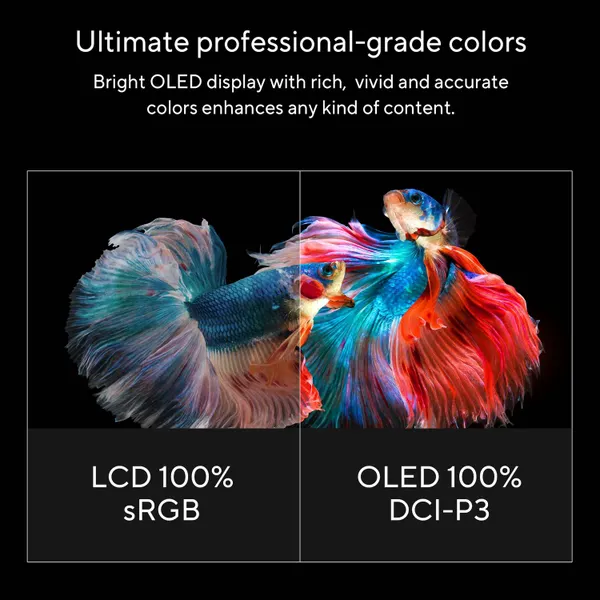
items 2: content: The Dell XPS 13 9350 features a stunning 3K OLED touchscreen display with vibrant colors and deep blacks, offering an immersive visual experience that is often praised as superior to competitors, even rivaling MacBooks for media consumption and creative tasks.
detailedSources: items: items 1: articleHeading: DELL XPS 13 9350 Laptop | An Intelligently Designed Workhorse
articleLink: https://www.youtube.com/watch?v=6lBPfMWZ0fM
articleSummary: YouTube review highlighting the beautiful 3K OLED touchscreen display of the Dell XPS 13 9350.
articleTitle: Youtube
articleType: web_article
favicon: https://i.flash.tech/a/plain/s3://flash-creatives/images/icons/youtube_favicon.png
snippets: The one I have here features a 3K OLED display with a 2880 by800 resolution., The Dell Infinity Edge panel has vibrant colors, deep blacks, and great brightness with an average 400nit brightness., This is also a touchcreen, which I always find to be a nice added feature to have, especially when you're scrolling or zooming when you're using your documents.
type: ARTICLE
items 2: articleHeading: Dell XPS 13 9350 Review: The Ultimate AI-Powered Ultrabook?
articleLink: https://www.techspot.com/products/laptops/dell-xps-13-9350.301796/
articleSummary: TechSpot review praising the OLED display of the Dell XPS 13 9350.
articleTitle: Techspot
articleType: web_article
favicon: https://www.google.com/s2/favicons?domain=https://www.techspot.com/products/laptops/dell-xps-13-9350.301796/&sz=128
snippets: The 13.4-inch display is available in both LCD and OLED configurations.
type: ARTICLE
items 3: articleHeading: Dell XPS 13 9350 Review (ft Lunar Lake): Not SO GOOD!
articleLink: https://www.youtube.com/watch?v=a_kvBx7ke38
articleSummary: YouTube review specifically highlighting the OLED display's superiority and touch capability.
articleTitle: Youtube
articleType: web_article
favicon: https://i.flash.tech/a/plain/s3://flash-creatives/images/icons/youtube_favicon.png
snippets: What I love the most about this laptop is its display., I think this is one of the best displays on any Windows laptop., And not to mention, this is a Tandem OLED display, which helps to save battery compared to regular OLED panels.
type: ARTICLE
reviews:
title: Stunning OLED touchscreen with vibrant colors and deep blacks
heading: Stunning OLED touchscreen with vibrant colors and deep blacks
sources: sources 1: favicon: https://i.flash.tech/a/plain/s3://flash-creatives/images/icons/youtube_favicon.png
title: youtube.com
sources 2: favicon: https://www.google.com/s2/favicons?domain=https://www.techspot.com/products/laptops/dell-xps-13-9350.301796/&sz=128
title: techspot.com
sources 3: favicon: https://i.flash.tech/a/plain/s3://flash-creatives/images/icons/youtube_favicon.png
title: youtube.com
type: POSITIVE
items 3: content: The Dell XPS 13 9350 offers robust performance for everyday tasks and even light creative work, powered by Intel Core Ultra processors and Intel Arc graphics, with users reporting smooth multitasking and quick app launches, making it a capable productivity machine.
detailedSources: items: items 1: articleHeading: Dell XPS 13 9350 Review: The Ultimate AI-Powered Ultrabook?
articleLink: https://www.techspot.com/products/laptops/dell-xps-13-9350.301796/
articleSummary: TechSpot review detailing the performance capabilities of the Dell XPS 13 9350.
articleTitle: Techspot
articleType: web_article
favicon: https://www.google.com/s2/favicons?domain=https://www.techspot.com/products/laptops/dell-xps-13-9350.301796/&sz=128
snippets: Equipped with Intel's Core Ultra 7 258V processor, the XPS 13 9350 delivers solid performance for everyday tasks.
type: ARTICLE
items 2: articleHeading: Dell XPS 13 9350 Review (ft Lunar Lake): Not SO GOOD!
articleLink: https://www.youtube.com/watch?v=a_kvBx7ke38
articleSummary: YouTube review discussing the effortless performance for office tasks and light editing.
articleTitle: Youtube
articleType: web_article
favicon: https://i.flash.tech/a/plain/s3://flash-creatives/images/icons/youtube_favicon.png
snippets: Even if you’re working with large Excel files, this machine runs smoothly, thanks to its single-core performance, which is on par with the latest AMD and Apple M3 chips., The standout feature of this processor this year is its integrated Intel Arc 140V graphics card, which is quite powerful and even suitable for some gaming.
type: ARTICLE
items 3: articleHeading: Dell XPS 13 9350 Review – Still Worth It in 2025?
articleLink: https://www.youtube.com/watch?v=N_dmukZBDBw
articleSummary: YouTube review highlighting the smooth performance for daily productivity and light editing.
articleTitle: Youtube
articleType: web_article
favicon: https://i.flash.tech/a/plain/s3://flash-creatives/images/icons/youtube_favicon.png
snippets: Powered by Intel's 14th gen Core Ultra processors and Intel Arc graphics, it provides smooth performance for daily productivity and light editing., Apps open instantly., Switching between tabs is effortless, and even some basic Photoshop or Premiere tasks don't phase it.
type: ARTICLE
reviews:
title: Strong performance for daily tasks and light creative work
heading: Strong performance for daily tasks and light creative work
sources: sources 1: favicon: https://www.google.com/s2/favicons?domain=https://www.techspot.com/products/laptops/dell-xps-13-9350.301796/&sz=128
title: techspot.com
sources 2: favicon: https://i.flash.tech/a/plain/s3://flash-creatives/images/icons/youtube_favicon.png
title: youtube.com
sources 3: favicon: https://i.flash.tech/a/plain/s3://flash-creatives/images/icons/youtube_favicon.png
title: youtube.com
type: POSITIVE
items 4: content: The Dell XPS 13 9350 boasts impressive battery life, with the LCD model reportedly lasting over 18 hours in web surfing tests, placing it among the top performers in its category and ensuring users can get through a full day of use without needing a charge.
detailedSources: items: items 1: articleHeading: Dell XPS 13 9350 Review: The Ultimate AI-Powered Ultrabook?
articleLink: https://www.techspot.com/products/laptops/dell-xps-13-9350.301796/
articleSummary: TechSpot review highlighting the impressive battery life of the Dell XPS 13 9350 LCD model.
articleTitle: Techspot
articleType: web_article
favicon: https://www.google.com/s2/favicons?domain=https://www.techspot.com/products/laptops/dell-xps-13-9350.301796/&sz=128
snippets: The laptop boasts impressive battery life, with the LCD model lasting over 18 hours during web surfing tests.
type: ARTICLE
items 2: articleHeading: Dell XPS 13 Leads Intel Lunar Lake Laptops With an Astounding 18 Hours of Battery Life
articleLink: https://www.laptopmag.com/laptops/windows-laptops/dell-xps-13-leads-intel-lunar-lake-laptops-with-an-astounding-18-hours-of-battery-life
articleSummary: LaptopMag review confirming the extended battery life of the Dell XPS 13 LCD model.
articleTitle: Laptopmag
articleType: web_article
favicon: https://www.google.com/s2/favicons?domain=https://www.laptopmag.com/laptops/windows-laptops/dell-xps-13-leads-intel-lunar-lake-laptops-with-an-astounding-18-hours-of-battery-life&sz=128
snippets: The laptop boasts impressive battery life, with the LCD model lasting over 18 hours during web surfing tests., This places it among the top performers in its category.
type: ARTICLE
items 3: articleHeading: Dell XPS 13 9350 Review
articleLink: https://www.tomshardware.com/laptops/dell-xps-13-9350-review
articleSummary: Tom's Hardware review noting the impressive battery life of the Dell XPS 13 9350 LCD model.
articleTitle: Tomshardware
articleType: web_article
favicon: https://www.google.com/s2/favicons?domain=https://www.tomshardware.com/laptops/dell-xps-13-9350-review&sz=128
snippets: The laptop boasts impressive battery life, with the LCD model lasting over 18 hours during web surfing tests.
type: ARTICLE
reviews:
title: Exceptional battery life for extended usage
heading: Exceptional battery life for extended usage
sources: sources 1: favicon: https://www.google.com/s2/favicons?domain=https://www.techspot.com/products/laptops/dell-xps-13-9350.301796/&sz=128
title: techspot.com
sources 2: favicon: https://www.google.com/s2/favicons?domain=https://www.laptopmag.com/laptops/windows-laptops/dell-xps-13-leads-intel-lunar-lake-laptops-with-an-astounding-18-hours-of-battery-life&sz=128
title: laptopmag.com
sources 3: favicon: https://www.google.com/s2/favicons?domain=https://www.tomshardware.com/laptops/dell-xps-13-9350-review&sz=128
title: tomshardware.com
type: POSITIVE
items 5: content: The Dell XPS 13 9350 is praised for its premium build quality, featuring a CNC-machined aluminum chassis and Gorilla Glass, which users report contributes to a strong, durable feel and an elegant, sleek aesthetic that rivals high-end competitors.
detailedSources: items: items 1: articleHeading: DELL XPS 13 9350 Laptop | An Intelligently Designed Workhorse
articleLink: https://www.youtube.com/watch?v=6lBPfMWZ0fM
articleSummary: YouTube review highlighting the premium hardware experience and CNC machined aluminum chassis.
articleTitle: Youtube
articleType: web_article
favicon: https://i.flash.tech/a/plain/s3://flash-creatives/images/icons/youtube_favicon.png
snippets: The Dell XPS line has always been synonymous with a premium hardware experience, and this Dell XPS 139350 laptop is no different., From the sleek CNC machined aluminum chassis, the strong scratchresistant Gorilla Glass on this amazingly beautiful 3K OLED touchscreen display and plenty of power to boot with the Intel Core Ultra 7 258V processor., Now, the aluminum chassis makes the overall feel strong and durable, but without feeling like you're carrying a brick all day.
type: ARTICLE
items 2: articleHeading: Product Review: “Dell XPS 13: Is It Still the Best Ultrabook?” – AIE TECHNICAL/ICT SOLUTIONS
articleLink: https://aietechnicalict.wordpress.com/2024/08/08/product-review-dell-xps-13-is-it-still-the-best-ultrabook/
articleSummary: Blog post emphasizing the premium build quality of the Dell XPS 13.
articleTitle: Aietechnicalict
articleType: web_article
favicon: https://aietechnicalict.wordpress.com/wp-content/uploads/2024/05/cropped-flyerdesign_13102021_161302-1.jpeg?w=32
snippets: The Dell XPS 13 continues to impress with its premium build quality., Despite its higher price, the XPS 13 offers a premium experience with excellent performance and build quality, making it a worthwhile investment for many users.
type: ARTICLE
reviews:
title: Premium build quality with aluminum and Gorilla Glass
heading: Premium build quality with aluminum and Gorilla Glass
sources: sources 1: favicon: https://i.flash.tech/a/plain/s3://flash-creatives/images/icons/youtube_favicon.png
title: youtube.com
sources 2: favicon: https://aietechnicalict.wordpress.com/wp-content/uploads/2024/05/cropped-flyerdesign_13102021_161302-1.jpeg?w=32
title: wordpress.com
type: POSITIVE
items 6: content: The Dell XPS 13 9350 is noted for its excellent Ubuntu compatibility, with users confirming that it runs smoothly with sufficient specs and no compatibility issues with the CPUs, making it a viable option for Linux users.
detailedSources: items: items 1: articleHeading: 2025 Dell XPS 13 (9345) Review - Unbiased Laptop
articleLink: https://reddit.com/r/DellXPS/comments/1lct0tm/2025_dell_xps_13_9345_review_unbiased_laptop/my2v361/
articleSummary: Reddit user confirms excellent Ubuntu compatibility and sufficient specs.
articleTitle: r/DellXPS
articleType: reddit
favicon: https://www.redditstatic.com/ico
snippets: Yes it will run great, the specs are more than enough to host Ubuntu and there are no compatibility issues with the CPUs
type: ARTICLE
reviews:
title: Runs Ubuntu smoothly with no CPU compatibility issues
heading: Runs Ubuntu smoothly with no CPU compatibility issues
sources: sources 1: favicon: https://www.redditstatic.com/ico
title: r/DellXPS
type: POSITIVE
items 7: content: The Dell XPS 13 9350 is praised for its AI capabilities as a Copilot Plus PC, featuring an NPU for local AI tasks like noise reduction and smart reframing during video calls, enhancing the user's presence and professionalism.
detailedSources: items: items 1: articleHeading: DELL XPS 13 9350 Laptop | An Intelligently Designed Workhorse
articleLink: https://www.youtube.com/watch?v=6lBPfMWZ0fM
articleSummary: YouTube review highlights the Copilot Plus PC features and NPU capabilities.
articleTitle: Youtube
articleType: web_article
favicon: https://i.flash.tech/a/plain/s3://flash-creatives/images/icons/youtube_favicon.png
snippets: Now, this is also a co-pilot plus PC sporting an NPU with 47 tops to allow for local AI usage like noise reduction, smart reframing, and more with Microsoft Studio Effects that you can use during video calls., If you're unfamiliar with Copilot Plus PCs, check out some of our other videos diving into Copilot., This 9350 has a high-res 1080p webcam and dual array microphones, and when paired with all of the AI features, you'll look and sound your best.
type: ARTICLE
reviews:
title: AI features enhance video calls and productivity
heading: AI features enhance video calls and productivity
sources: sources 1: favicon: https://i.flash.tech/a/plain/s3://flash-creatives/images/icons/youtube_favicon.png
title: youtube.com
type: POSITIVE
items 8: content: The Dell XPS 13 9350 offers full Docker support, allowing users to run applications within containers without issues, which is a significant advantage for developers and IT professionals who rely on containerized environments.
detailedSources: items: items 1: articleHeading: Just picked up the new XPS 13 (Snapdragon X Elite)
articleLink: https://reddit.com/r/DellXPS/comments/1gmh0ey/just_picked_up_the_new_xps_13_snapdragon_xelite/lw58mw6/
articleSummary: Reddit user confirms full Docker support on the Dell XPS 13.
articleTitle: r/DellXPS
articleType: reddit
favicon: https://www.redditstatic.com/ico
snippets: Its got full Docker support!
type: ARTICLE
reviews:
title: Full Docker support for developers
heading: Full Docker support for developers
sources: sources 1: favicon: https://www.redditstatic.com/ico
title: r/DellXPS
type: POSITIVE
items 9: content: The Dell XPS 13 9350 has a very limited port selection, typically only including two Thunderbolt 4 ports, which necessitates the use of dongles or docks for connecting peripherals like USB-A devices, external monitors, or wired networks, a drawback for users needing more connectivity.
detailedSources: items: items 1: articleHeading: Review: The 2022 Dell XPS 13 is more than just a pretty face - Ars Technica
articleLink: https://arstechnica.com/gadgets/2022/12/dell-xps-13-2022-review/
articleSummary: Ars Technica review points out the limited and dongle-dependent port selection.
articleTitle: Arstechnica
articleType: web_article
favicon: https://cdn.arstechnica.net/wp-content/uploads/2016/10/cropped-ars-logo-512_480-60x60.png
snippets: Unfortunately, it has a dreadfully limited and dongle-dependent port selection., This year's XPS 13 is the thinnest yet, and while that's good news for portability, it's terrible news for port selection.
type: ARTICLE
items 2: articleHeading: Dell XPS 13 9350 Review: The Ultimate AI-Powered Ultrabook?
articleLink: https://6ixnetwork.com/dell-xps-13-9350-review-the-ultimate-ai-powered-ultrabook/
articleSummary: 6ixnetwork review mentions the limited Thunderbolt 4 ports and the need for a dock.
articleTitle: 6Ixnetwork
articleType: web_article
favicon: https://www.google.com/s2/favicons?domain=https://6ixnetwork.com/dell-xps-13-9350-review-the-ultimate-ai-powered-ultrabook/&sz=128
snippets: The XPS 13 9350 includes two Thunderbolt 4 ports, supporting DisplayPort 2.1 and Power Delivery., While this ensures fast data transfer and charging, some users may find the limited number of ports restrictive.
type: ARTICLE
items 3: articleHeading: DELL XPS 13 9350 Laptop | An Intelligently Designed Workhorse
articleLink: https://www.youtube.com/watch?v=6lBPfMWZ0fM
articleSummary: YouTube review noting the need for a dock or dongle due to limited I/O.
articleTitle: Youtube
articleType: web_article
favicon: https://i.flash.tech/a/plain/s3://flash-creatives/images/icons/youtube_favicon.png
snippets: And while we're on the topic of displays, there are two Thunderbolt 4 ports to handle all of your IO on either side of the chassis here., So, with the Dell XPS 139350, you will need a dock or a dongle to take full advantage of all of the IO, such as USBA, multiple displays, and even wired networking.
type: ARTICLE
reviews:
title: Limited port selection requires dongles for connectivity
heading: Limited port selection requires dongles for connectivity
sources: sources 1: favicon: https://cdn.arstechnica.net/wp-content/uploads/2016/10/cropped-ars-logo-512_480-60x60.png
title: arstechnica.com
sources 2: favicon: https://www.google.com/s2/favicons?domain=https://6ixnetwork.com/dell-xps-13-9350-review-the-ultimate-ai-powered-ultrabook/&sz=128
title: 6ixnetwork.com
sources 3: favicon: https://i.flash.tech/a/plain/s3://flash-creatives/images/icons/youtube_favicon.png
title: youtube.com
type: NEGATIVE
items 10: content: Some users have reported issues with the Dell XPS 13's trackpad, finding it less ideal or requiring time to adjust, with one user noting that the 120Hz screen needs manual activation and the speakers can sound tin-like unless audio enhancements are turned off.
detailedSources: items: items 1: articleHeading: Just picked up the new XPS 13 (Snapdragon X Elite)
articleLink: https://reddit.com/r/DellXPS/comments/1gmh0ey/just_picked_up_the_new_xps_13_snapdragon_xelite/lw86u3j/
articleSummary: Reddit user shares feedback on the trackpad, screen activation, and speaker sound.
articleTitle: r/DellXPS
articleType: reddit
favicon: https://i.flash.tech/a/plain/s3://flash-creatives/images/icons/reddit_favicon.png
snippets: I’m not mad keen on the trackpad but I guess with time it will grow on me., The 120hz screen isn’t 120 by default - you have to turn it on in advanced screen settings., I have found YouTube videos to be very tin-sound like. Luckily TomsHardware found the Sam and recommended turning off audio enhancements- again I’ll write back later with exactly how to do this. This fixed the issue.
type: ARTICLE
items 2: articleHeading: Dell XPS 13 9350 Review (ft Lunar Lake): Not SO GOOD!
articleLink: https://www.youtube.com/watch?v=a_kvBx7ke38
articleSummary: YouTube review mentions the invisible touchpad and the need to adjust to its feel.
articleTitle: Youtube
articleType: web_article
favicon: https://i.flash.tech/a/plain/s3://flash-creatives/images/icons/youtube_favicon.png
snippets: It’s beautifully, sleek, although you’ll need to get used to the feel of the keyboard, the touch function keys, and the invisible touchpad.
type: ARTICLE
items 3: articleHeading: Dell XPS 13 9350 Review (Skylake) - Is it still the Best 13" Ultrabook?
articleLink: https://www.youtube.com/watch?v=ZRmRamdNFHg
articleSummary: YouTube review notes that while the trackpad hardware is unchanged, software updates have improved it, though it's still not considered amazing.
articleTitle: Youtube
articleType: web_article
favicon: https://i.flash.tech/a/plain/s3://flash-creatives/images/icons/youtube_favicon.png
snippets: The glass trackpad is unchanged in terms of the hardware but there's been a slew of updates since the first iteration launch., It's still not an amazing track pad and the one of the XPS 15 is noticeably better, but for 13 inch Windows-based ultrabook this one's pretty good now.
type: ARTICLE
items 4: content: The Dell XPS 13 is a staple for the Dell Brand and continues to redefine portability and performance in a minimal design that's also powerful and that is ...
marketplace: google
source: google
sourceLogo: https://i.flash.tech/a/rs:fill:300:400:0/g:sm/plain/s3://flash-creatives/images/merchants/google
starRating: 4
title: Redefines portability and performance
type: REVIEWS
reviews: rev_2
title: Trackpad and speaker quality require adjustment
heading: Trackpad and speaker quality require adjustment
sources: sources 1: favicon: https://i.flash.tech/a/plain/s3://flash-creatives/images/icons/reddit_favicon.png
title: r/DellXPS
sources 2: favicon: https://i.flash.tech/a/plain/s3://flash-creatives/images/icons/youtube_favicon.png
title: youtube.com
sources 3: favicon: https://i.flash.tech/a/plain/s3://flash-creatives/images/icons/youtube_favicon.png
title: youtube.com
sources 4: favicon: https://i.flash.tech/a/plain/s3://flash-creatives/images/icons/user-reviews-icon.png
title: 1 User Reviews
type: NEGATIVE
items 11: content: The Dell XPS 13 9350 can get uncomfortably hot, particularly in its performance modes, with users reporting it becoming unbearably hot even during light tasks like web browsing, which can detract from the user experience.
detailedSources: items: items 1: articleHeading: Review: Dell’s XPS 13 Plus pulls high performance from a frustrating design - Ars Technica
articleLink: https://arstechnica.com/gadgets/2022/09/review-dells-xps-13-plus-pulls-high-performance-from-a-frustrating-design/
articleSummary: Ars Technica review notes the laptop gets unbearably hot in Ultra Performance mode.
articleTitle: Arstechnica
articleType: web_article
favicon: https://cdn.arstechnica.net/wp-content/uploads/2016/10/cropped-ars-logo-512_480-60x60.png
snippets: The laptop gets unbearably hot in its Ultra Performance mode, even when web browsing.
type: ARTICLE
items 2: articleHeading: Dell XPS 13 (2025): Stunning Design, But Is It Worth It?
articleLink: https://www.youtube.com/watch?v=854Fh6P0ZvM
articleSummary: YouTube review mentions thermals can be a concern under sustained load, leading to throttling and uncomfortable surface temperatures.
articleTitle: Youtube
articleType: web_article
favicon: https://i.flash.tech/a/plain/s3://flash-creatives/images/icons/youtube_favicon.png
snippets: Thermals are another concern under sustained load the CPU hits Thermo limits causing throttling so surface temperatures can reach up to 40° near the hinge which might be uncomfortable during long sessions
type: ARTICLE
items 3: articleHeading: Dell XPS 13 9350 Review (Skylake) - Is it still the Best 13" Ultrabook?
articleLink: https://www.youtube.com/watch?v=ZRmRamdNFHg
articleSummary: YouTube review notes that while thermals haven't changed much, it still gets a little warm but isn't too bad.
articleTitle: Youtube
articleType: web_article
favicon: https://i.flash.tech/a/plain/s3://flash-creatives/images/icons/youtube_favicon.png
snippets: The thermals haven't changed. It still gets a little warm but it's not too bad.
type: ARTICLE
reviews:
title: Can get uncomfortably hot during use
heading: Can get uncomfortably hot during use
sources: sources 1: favicon: https://cdn.arstechnica.net/wp-content/uploads/2016/10/cropped-ars-logo-512_480-60x60.png
title: arstechnica.com
sources 2: favicon: https://i.flash.tech/a/plain/s3://flash-creatives/images/icons/youtube_favicon.png
title: youtube.com
sources 3: favicon: https://i.flash.tech/a/plain/s3://flash-creatives/images/icons/youtube_favicon.png
title: youtube.com
type: NEGATIVE
items 12: content: Users have encountered software compatibility issues, particularly with ARM processors like Snapdragon, where certain essential applications like Autodesk software may not run, leading to significant disappointment after purchase, despite other aspects of the laptop being satisfactory.
detailedSources: items: items 1: articleHeading: Dell XPS 13 (9345) with Snapdragon X Elite - a game changer?
articleLink: https://reddit.com/r/laptops/comments/1dvipgd/dell_xps_13_9345_with_snapdragon_x_elite_a_game/mgkutkb/
articleSummary: Reddit user expresses disappointment about Autodesk software not running on Snapdragon processors.
articleTitle: r/laptops
articleType: reddit
favicon: https://i.flash.tech/a/plain/s3://flash-creatives/images/icons/reddit_favicon.png
snippets: It's such a tragedy that snapdragon processors can't run any AutoDesk software, just bought a new xps 13 for college and just found that out the hard way. Everything else about it is great though.
type: ARTICLE
items 2: articleHeading: Dell XPS 13 (9345) with Snapdragon X Elite - a game changer?
articleLink: https://reddit.com/r/laptops/comments/1dvipgd/dell_xps_13_9345_with_snapdragon_x_elite_a_game/mgkutkb/
articleSummary: Reddit user advises checking software compatibility with ARM/Snapdragon processors.
articleTitle: r/laptops
articleType: reddit
favicon: https://www.redditstatic.com/ico
snippets: I would recommend, just check that whatever software you need for your classes can run on x64 processers like snapdragon, found out the hard way with autodesk and revit only running on x86
type: ARTICLE
items 3: articleHeading: 2025 Dell XPS 13 (9345) Review - Unbiased Laptop
articleLink: https://reddit.com/r/DellXPS/comments/1lct0tm/2025_dell_xps_13_9345_review_unbiased_laptop/my7gxq1/
articleSummary: Reddit user notes limited software availability for native Windows ARM.
articleTitle: r/DellXPS
articleType: reddit
favicon: https://www.redditstatic.com/ico
snippets: It’s odd that Linux support isn’t that great yet…and not a lot of software available for native Windows ARM.
type: ARTICLE
reviews:
title: Potential software compatibility issues with ARM processors
heading: Potential software compatibility issues with ARM processors
sources: sources 1: favicon: https://i.flash.tech/a/plain/s3://flash-creatives/images/icons/reddit_favicon.png
title: r/laptops
sources 2: favicon: https://www.redditstatic.com/ico
title: r/laptops
sources 3: favicon: https://www.redditstatic.com/ico
title: r/DellXPS
type: NEGATIVE
items 13: content: Users are strongly advised against updating the BIOS on the Dell XPS 13, as it can lead to the computer getting stuck on the Dell logo indefinitely, potentially 'bricking' the device and rendering it unusable without further troubleshooting.
detailedSources: items: items 1: articleHeading: Just got my XPS 13
articleLink: https://reddit.com/r/DellXPS/comments/1aww5a1/just_got_my_xps_13/ks9i62u/
articleSummary: Reddit user warns against BIOS updates due to potential to brick the device.
articleTitle: r/DellXPS
articleType: reddit
favicon: https://www.redditstatic.com/ico
snippets: Man, Im saying to you and listen to me please. DO NOT EVER UPGRADE OR UPDATE BIOS. The XPS 13 has a problem with bios firmware and it gets you stuck forever on dell logo. After that, you are not able to access any part pf the computer.
type: ARTICLE
items 2: articleHeading: Just got my XPS 13
articleLink: https://reddit.com/r/DellXPS/comments/1aww5a1/just_got_my_xps_13/kuqkmxx/
articleSummary: Reddit user suggests disabling UEFI capsule updates to prevent automatic BIOS updates.
articleTitle: r/DellXPS
articleType: reddit
favicon: https://www.redditstatic.com/ico
snippets: An additional tip then: disable UEFI capsule updates in BIOS, otherwise it might as well update itself. Even without going into Windows, it can do this pre-boot if you happen to have a network cable plugged in.
type: ARTICLE
reviews:
title: BIOS updates can brick the device
heading: BIOS updates can brick the device
sources: sources 1: favicon: https://www.redditstatic.com/ico
title: r/DellXPS
sources 2: favicon: https://www.redditstatic.com/ico
title: r/DellXPS
type: NEGATIVE